March 29th, 2014 by Ryan Hamilton
Let’s look at how to write moving average analytics in q for the kdb database. As example data (mcd.csv) we are going to use stock price data for McDonalds MCD. The below code will download historical stock data for MCD and place it into table t:
Simple Moving Average
The simple moving average can be used to smooth out fluctuating data to identify overall trends and cycles. The simple moving average is the mean of the data points and weights every value in the calculation equally. For example to find the moving average price of a stock for the past ten days, we simply add the daily price for those ten days and divide by ten. This window of size ten days then moves across the dates, using the values within the window to find the average. Here’s the code in kdb for 10/20 day moving average and the resultant chart.
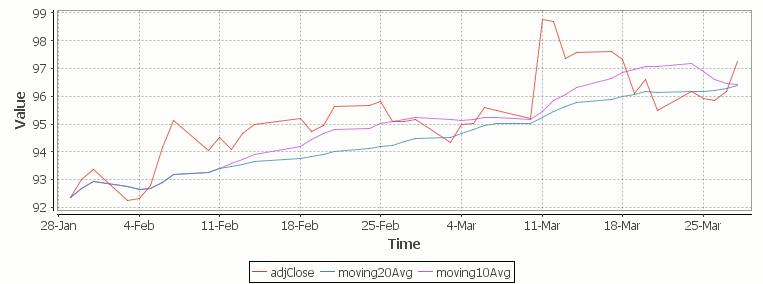
Simple Moving Average Stock Chart Kdb (Produced using qStudio)
What Exponential Moving Average is and how to calculate it
One of the issues with the simple moving average is that it gives every day an equal weighting. For many purposes it makes more sense to give the more recent days a higher weighting, one method of doing this is by using the Exponential Moving Average. This uses an exponentially decreasing weight for dates further in the past.The simplest form of exponential smoothing is given by the formula:

where α is the smoothing factor, and 0 < α < 1. In other words, the smoothed statistic st is a simple weighted average of the previous observation xt-1 and the previous smoothed statistic st−1.
This table displays how the various weights/EMAs are calculated given the values 1,2,3,4,8,10,20 and a smoothing factor of 0.7: (excel spreadsheet)
| Values |
EMA |
|
Power |
Weight |
Power*Weight |
|
EMA (text using previous value) |
| 1 |
1 |
|
6 |
0.0005103 |
0.0005103 |
|
1 |
| 2 |
1.7 |
|
5 |
0.001701 |
0.003402 |
|
(0.7*2)+(0.3*1) |
| 3 |
2.61 |
|
4 |
0.00567 |
0.01701 |
|
(0.7*3)+(0.3*1.7) |
| 4 |
3.583 |
|
3 |
0.0189 |
0.0756 |
|
(0.7*4)+(0.3*2.61) |
| 8 |
6.6749 |
|
2 |
0.063 |
0.504 |
|
(0.7*8)+(0.3*3.583) |
| 10 |
9.00247 |
|
1 |
0.21 |
2.1 |
|
(0.7*10)+(0.3*6.6749) |
| 20 |
16.700741 |
|
0 |
0.7 |
14 |
|
(0.7*20)+(0.3*9.00247) |
To perform this calculation in kdb we can do the following:
(This code was originally posted to the google mail list by Attila, the full discussion can be found here)
This backslash adverb works as
The alternate syntax generalizes to functions of 3 or more arguments where the first argument is used as the initial value and the arguments are corresponding elements from the lists:
Exponential Moving Average Chart
Finally we take our formula and apply it to our stock pricing data, allowing us to see the exponential moving average for two different smoothing factors:
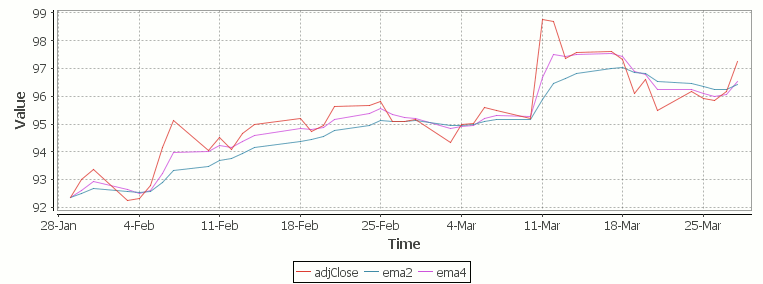
Exponential Moving Average Stock Price Chart produced using qStudio
As you can see with EMA we can prioritize more recent values using a chosen smoothing factor to decide the balance between recent and historical data.
Writing kdb analytics such as Exponential Moving Average is covered in our kdb training course, we regularly provide training courses in London, New York, Asia or our online kdb course is available to start right now.
March 4th, 2014 by John Dempster
qStudio is an IDE for kdb+, you can download it now.
The latest 1.31 release introduces a number of nice interface additions as requested by users:
Command Palette
Quick change server -> Hit Ctrl+P to try the new Command Palette
It lets you run common qStudio actions by fuzzy matching on keywords:

Jump to Definition
Hit Ctrl+U Ctrl+I to get an outline of the current file.
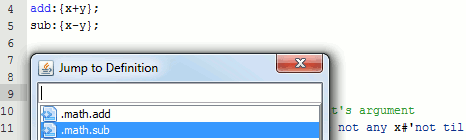
Or press Ctrl+D on a function call to jump to where it is defined.
Added User Preferences
Users had mentioned a number of connection and interface issues they wanted to be able to customize, these have been added:
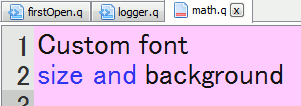
– Customize the editor font and it’s background color (per server setting, useful for red warning color when connected to prod machines)
– keep same connection open for every query
– Wrap every query with selected text before and after
Eval Line by Line
Do you ever query a line, move down, query next line, move down ….
Well try control+shift+enter within the code editor.
It evaluates the current line, returns it’s value and shifts to the next line.
e.g. for the code:
a:11
b:a*rand[10]
c:b*a
The console would show:
q)a:11
11
q)b:a*rand[10]
55
q)c:b*a
605
The qStudio help guide contains more details of all functionality.
November 12th, 2013 by John Dempster
qStudio is an IDE for kdb+ database by kx systems that allows querying kdb+ servers, charting results and browsing server objects from within the GUI.
Version 1.29 of qStudio is now available:
http://www.timestored.com/qstudio/
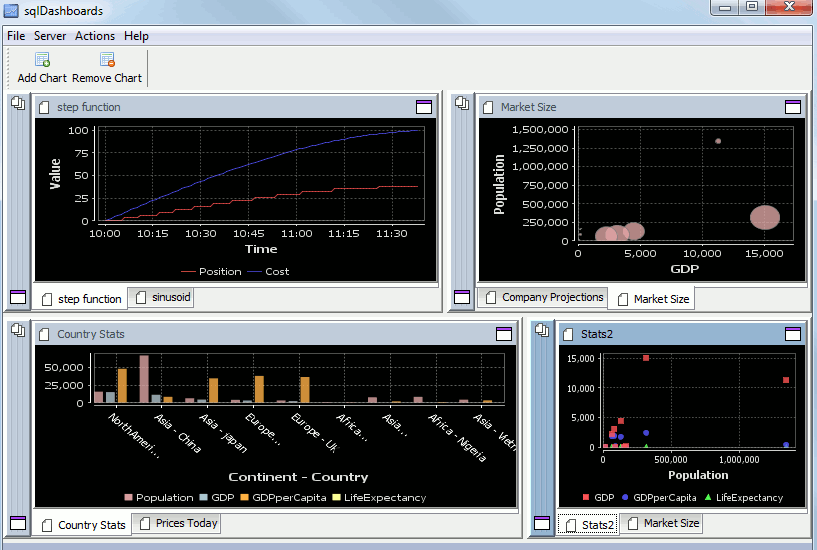
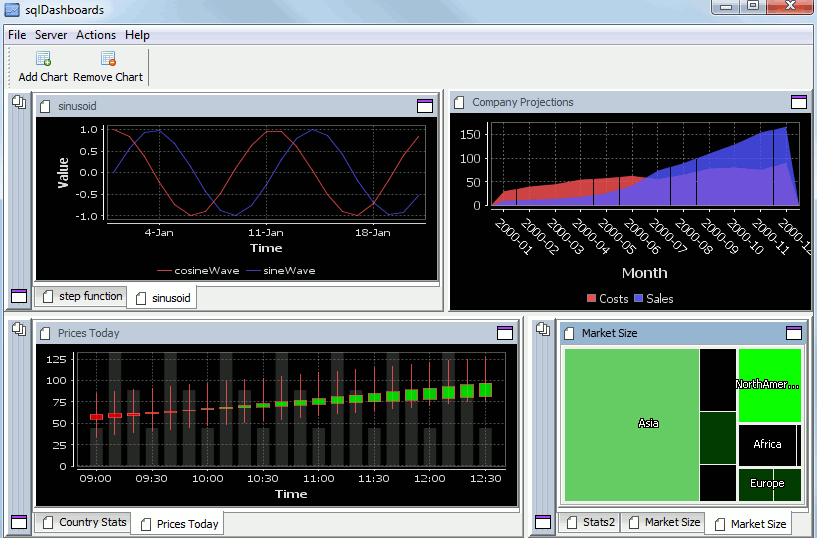
Changes in the latest version include a new dark theme for charts and the ability to run multiple instances of qStudio.
The changes were added as a few people had asked for a dark theme due to eye strain from staring at the white charts.
If you have any ideas for what you would like to see in the next version please let me know.
john AT timestored DOT com
Here’s a preview of a time series graph:
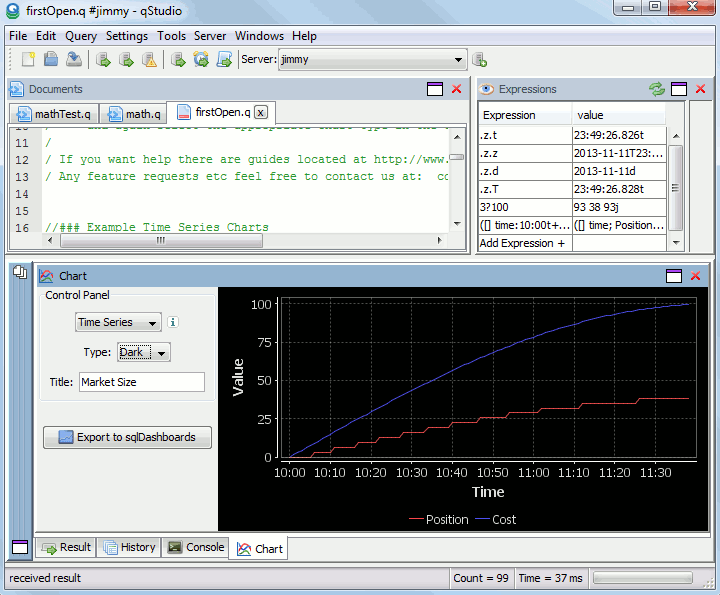
qStudio with a dark time series chart
July 8th, 2013 by Ryan Hamilton
qStudio is an editor for kdb+ database by kx systems. Version 1.28 of qStudio is now available for download:
http://www.timestored.com/qstudio/
Changes in the latest version include:
- Added Csv Loader (pro)
- Added qUnit unit testing (pro)
- Bugfix to database management column copying.
- Export selection/table bugs fixed and launches excel (thanks Jeremy / Ken)
The Kdb+ Csv Loader allows loading local files onto a remote kdb+ server easily from within a GUI.
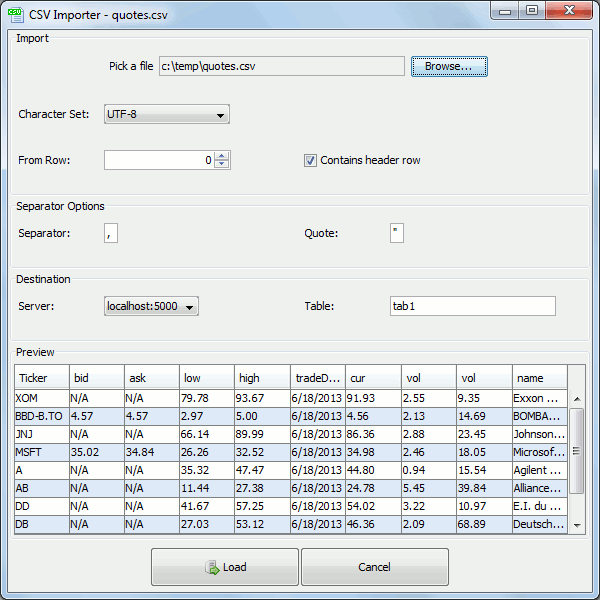
For step-by-step instructions see the qStudio loader help.
qUnit allows writing unit tests for q code in a format that will be familiar to all those who have used junit,cunit or a similar xunit based test framework. Tests depend on assertions and the results of a test run are shown as a table like so:
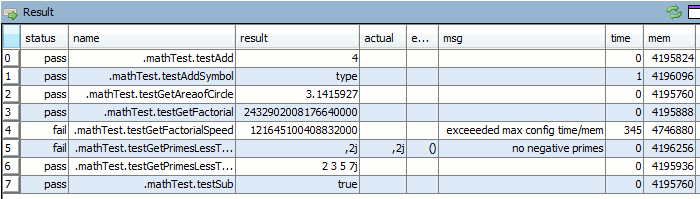
Tests are specified as functions that begin with the test** prefix and can have time or memory limits specified.
March 27th, 2013 by admin
q Code File Browser and Adding Multiple Kdb Servers
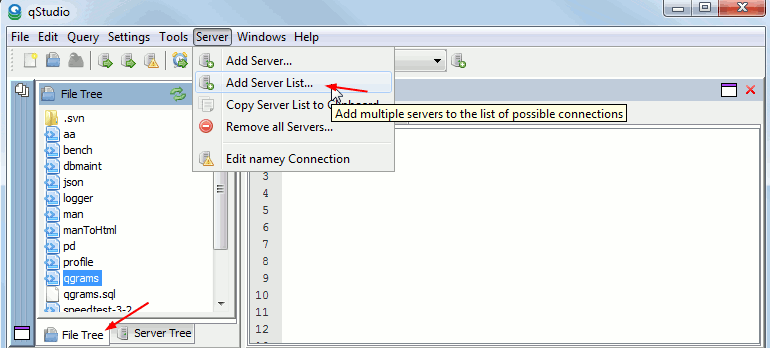
Added IDE Features:
- Add File Tree that allows browsing directory and providing autocomplete
- qDoc supports custom user tags (Thanks Aaron)
- Allow adding/exporting whole lists of servers at once (much quicker)
- Installers are now signed.
- Ctrl-D “goto definition” of function to open that file/position
- (PRO) Unit Testing and function profiling partially integrated.
March 27th, 2013 by admin
Added qStudio Features:
- Faster chart drawing (~1.6x faster)
- Added No Redraw chart option for those who want extra speed
- Numerous bugfixes to charts that froze
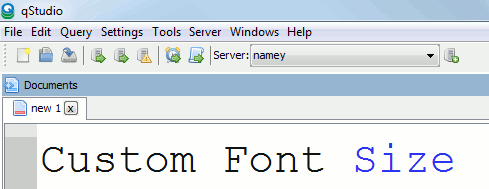
- Allow setting code editor font size
- Fix display of boolean/byte lists
